

Install on Your Phone
Use PredictAm like an app: add it to your home screen
Updated 2026-08
PredictAm works like an installed app on your phone — no app store, no download. Add it to your home screen once and it opens full-screen from its own XI icon, without the browser address bar.
iPhone & iPad (Safari)
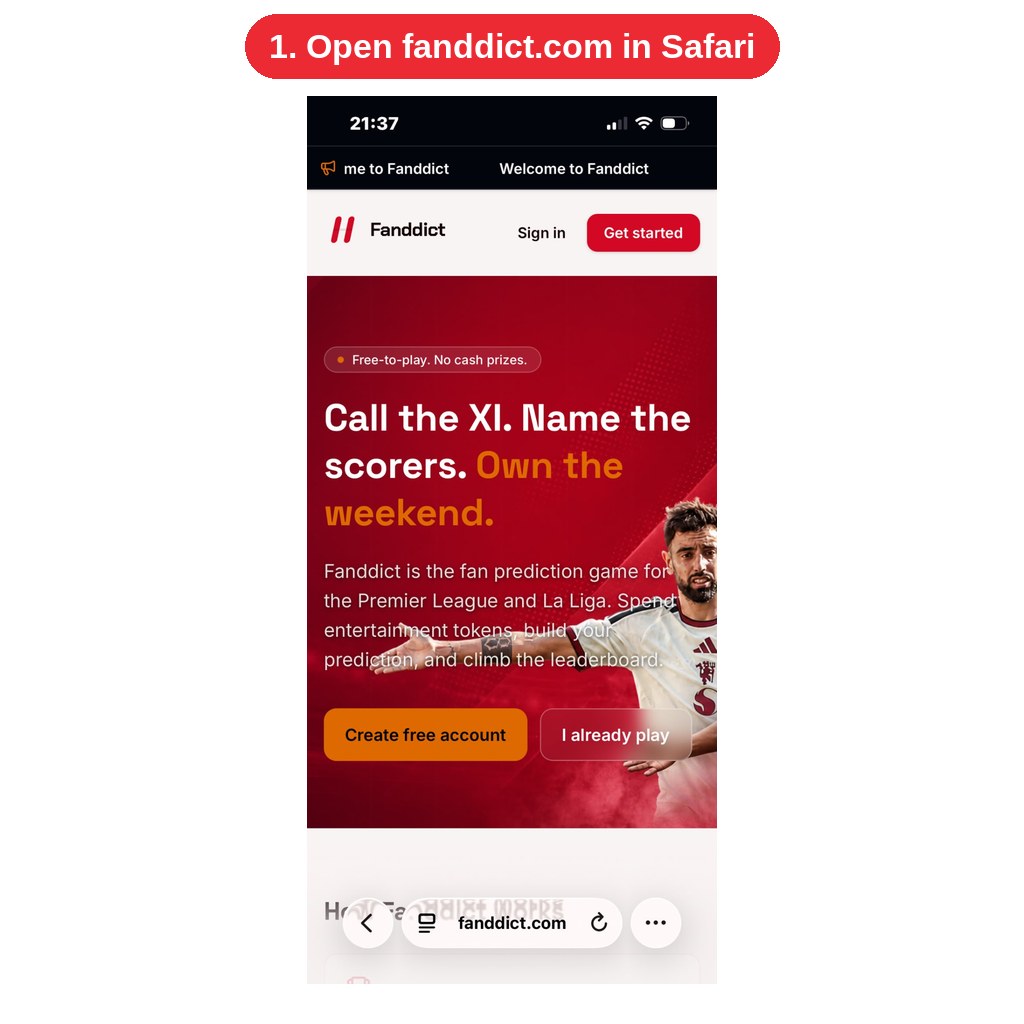
1. Open trypredictam.com in Safari (this only works in Safari, not Chrome on iOS).
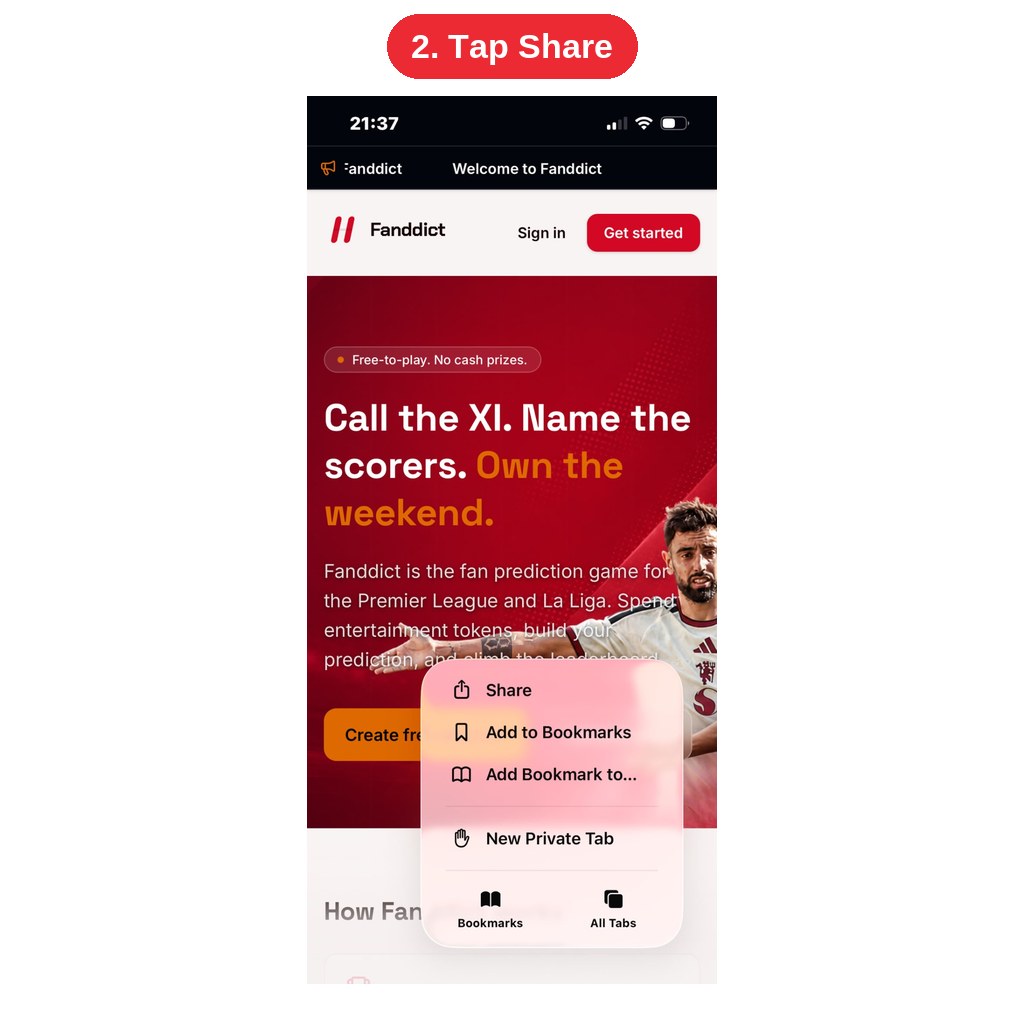
2. Tap the Share button — the square with an arrow pointing up — in the bottom toolbar.
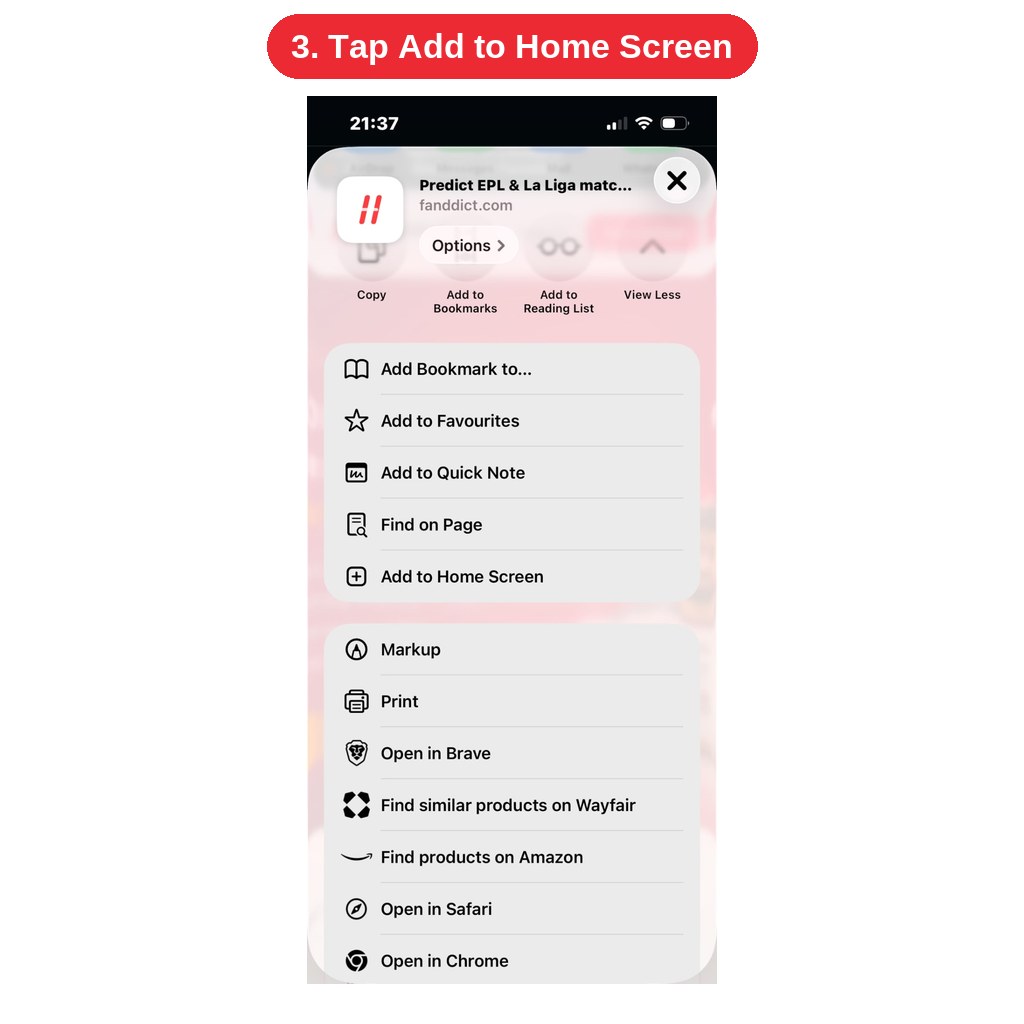
3. Scroll down the share sheet and tap "Add to Home Screen".
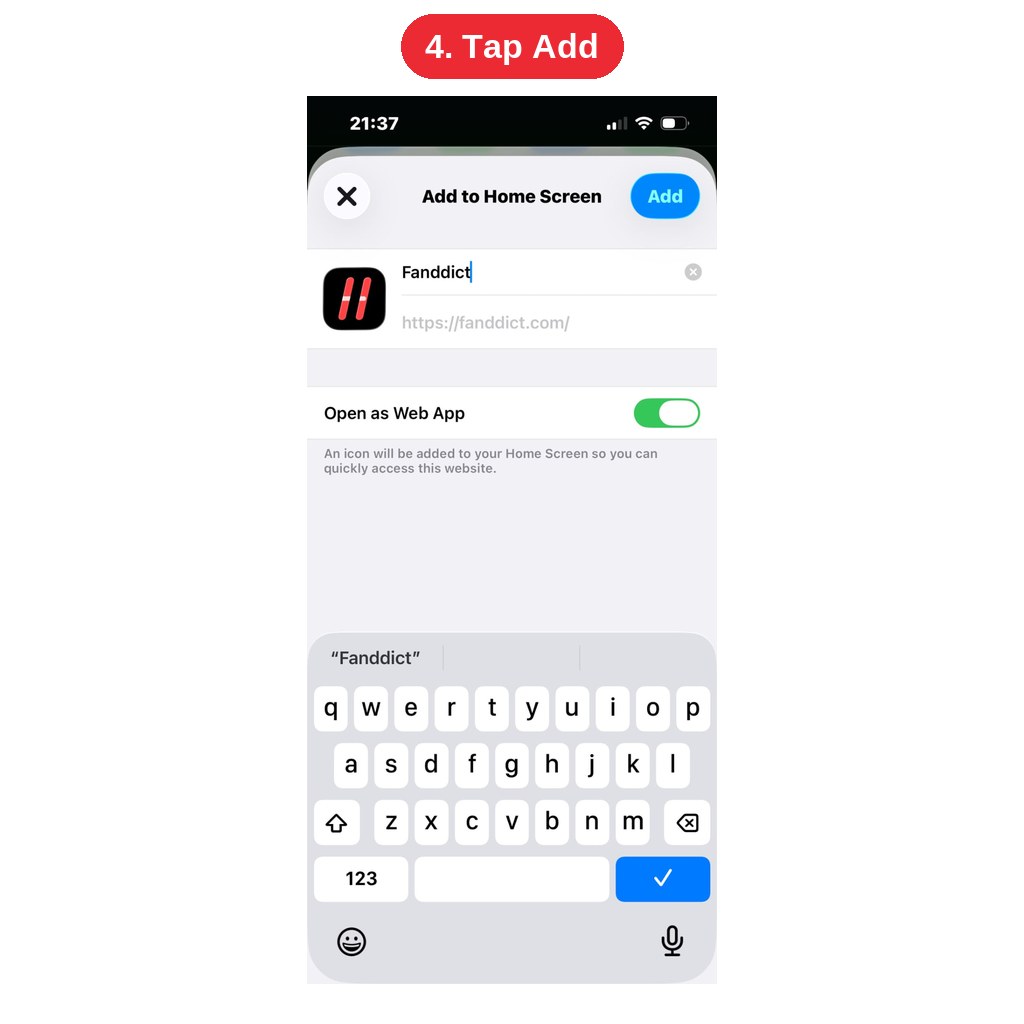
4. Edit the name if you like, then tap "Add".
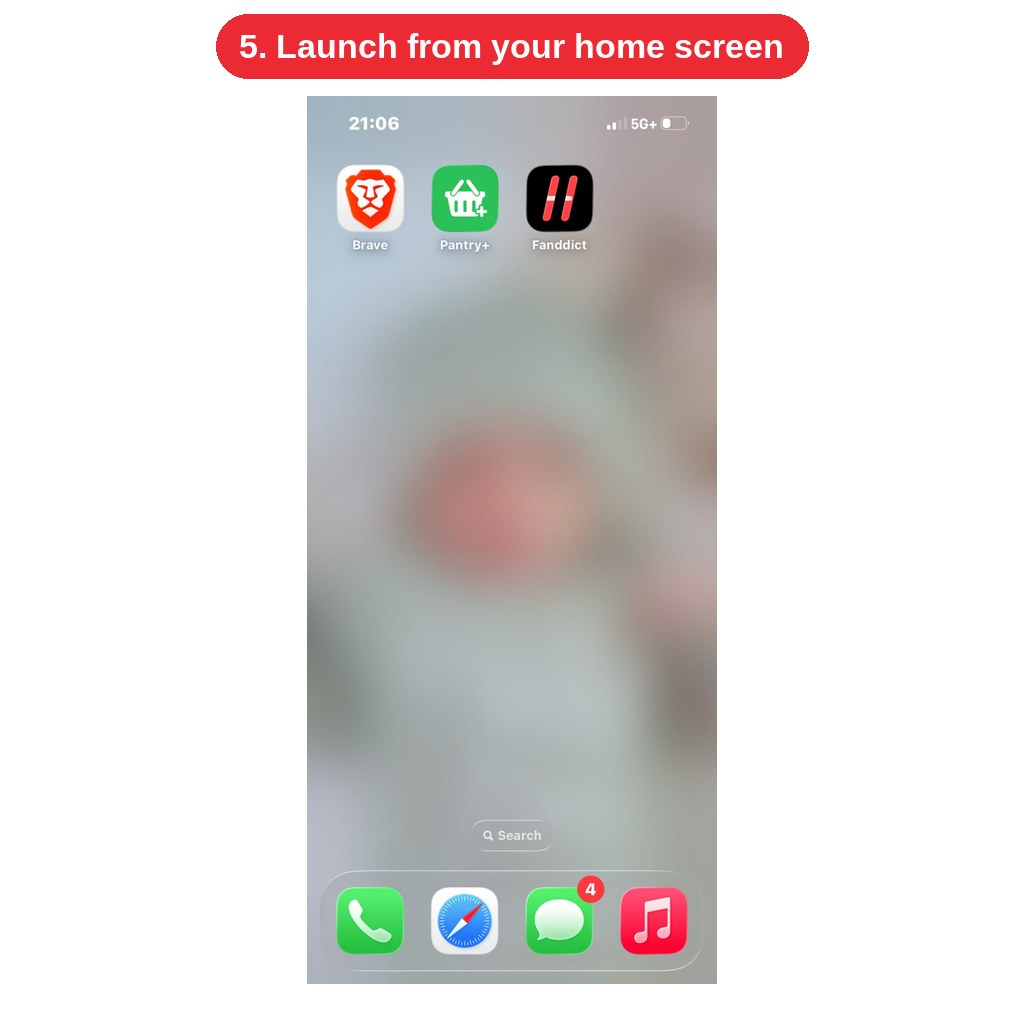
5. The PredictAm XI icon now sits on your home screen. Tap it to open the app full-screen.
Android (Chrome)
1. Open trypredictam.com in Chrome.
2. Tap the three-dot menu at the top right.
3. Tap "Add to Home screen" (some phones show "Install app").
4. Confirm by tapping "Add" or "Install".
5. Launch PredictAm from your home screen or app drawer like any other app.
Samsung Internet: tap the menu (three lines) → "Add page to" → "Home screen".
Desktop (Chrome/Edge): click the install icon in the address bar to run PredictAm in its own window.
Good to know
• You stay signed in, so predictions, FAN tokens and your streak carry over.
• The home-screen version is the same live site — you always get the latest fixtures and deadlines.
• An internet connection is still required; PredictAm does not work offline.
• To remove it, press and hold the icon and choose Remove/Uninstall. Your account is not affected.
If you don't see the option, make sure your browser is up to date and that you're not in a private/incognito tab.
Was this helpful?